Cost of goods. Mastered.
Profit reports, stock velocity, offline movement tracking, and channel mix intelligence. The reports WooCommerce never gave you.

Screenshots shown in dark mode.
The problem
WooCommerce tells you revenue. It does not tell you profit. You can see that you sold a few hundred units last month. You cannot see whether those units made you money or lost it.
Without cost-of-goods tracking, your "best seller" might be your biggest margin leak. Most shopkeepers discover this the hard way — usually when they wonder why the bank balance doesn't match the WooCommerce dashboard.
Cogsmith Ledger fixes this by reading WooCommerce's own COGS fields and turning them into reports you can act on.
What it does
Profit reports per product

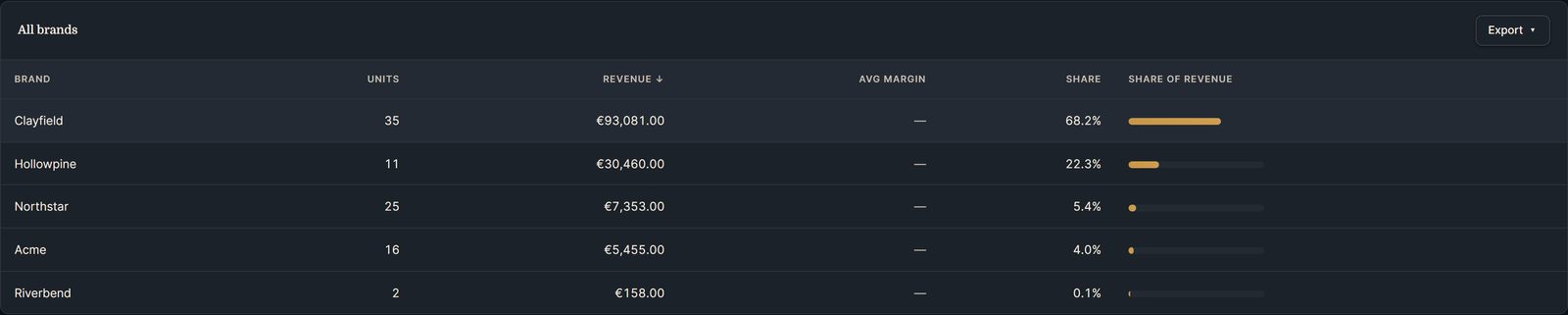
Brand performance
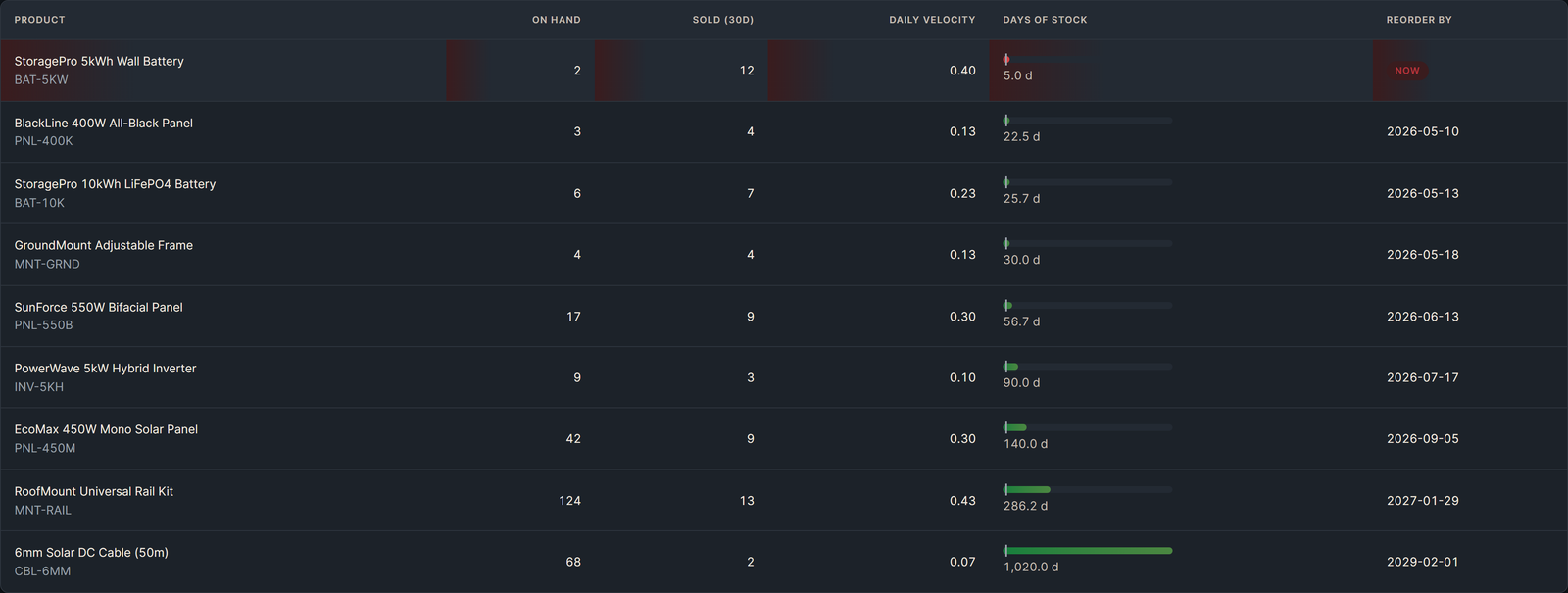
Stock velocity
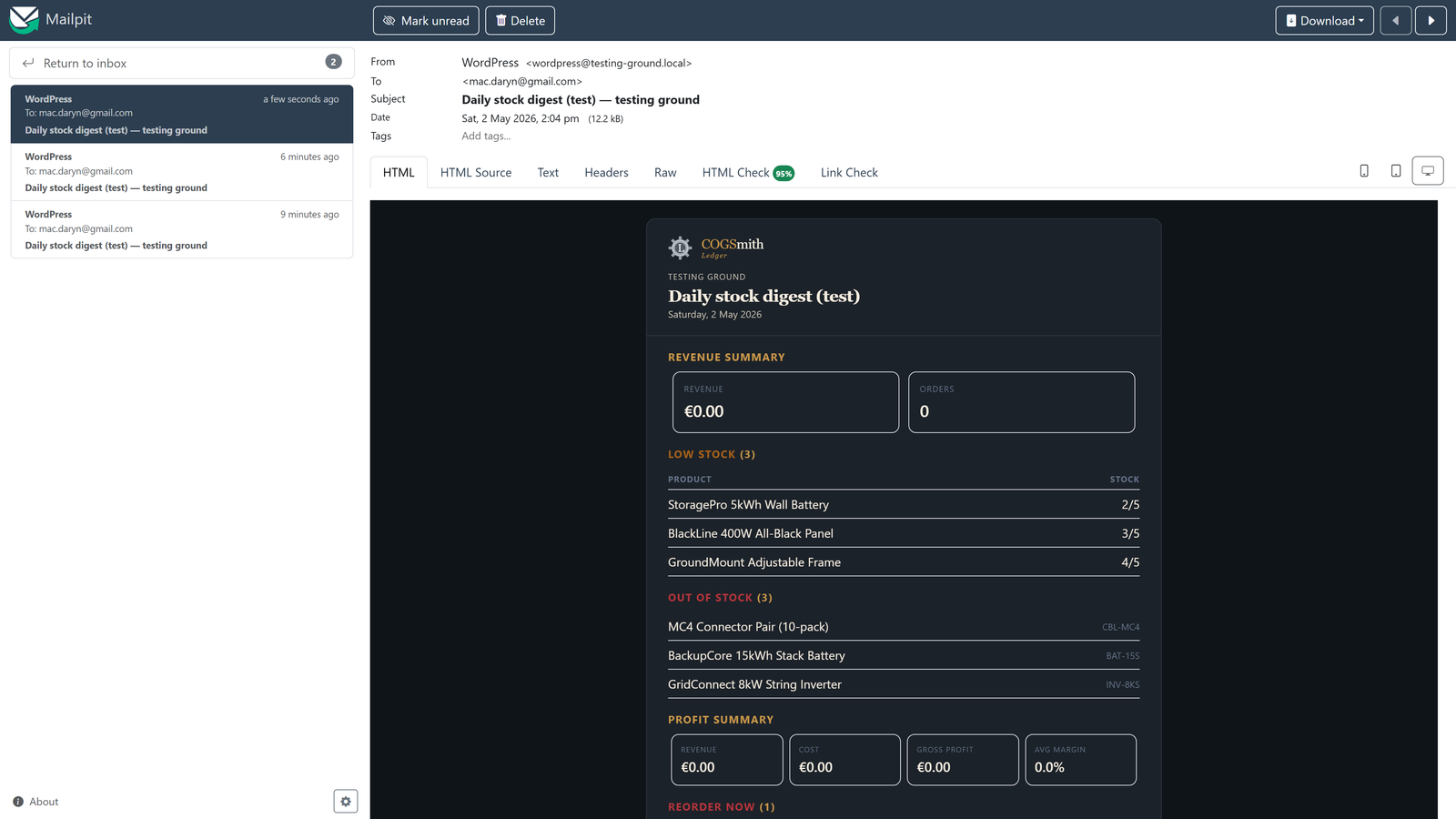
Per-recipient email digests
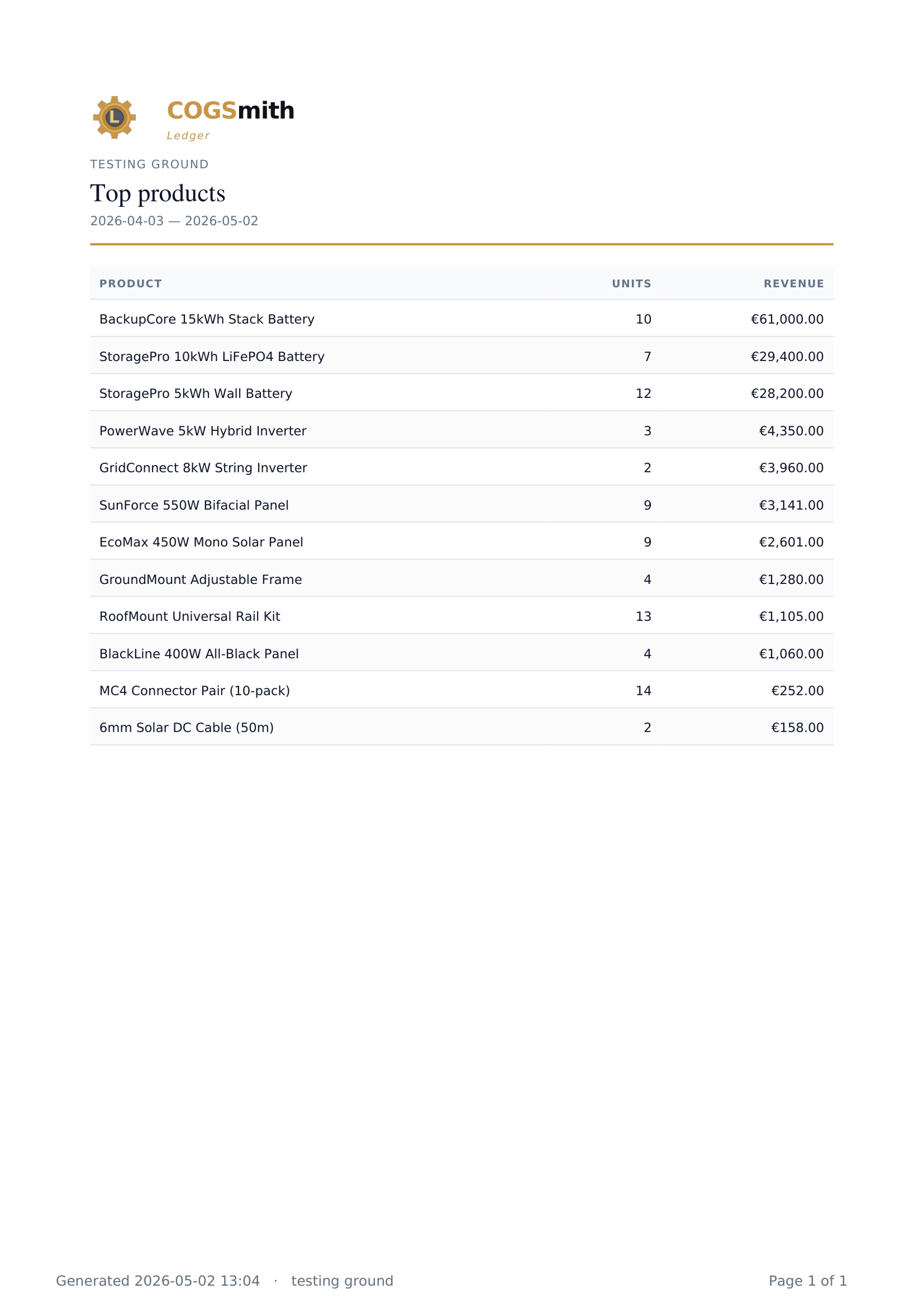
Exports in four formats
Stock alerts & thresholds

Offline movement detection
Offline merchandising reports
Free vs Pro
| Feature | Free | Pro |
|---|---|---|
| Sales dashboard with sparklines & deltas | ✓ | ✓ |
| Top products, categories, slow movers | ✓ | ✓ |
| SKU column across all product reports | ✓ | ✓ |
| Low stock & out-of-stock alerts | ✓ | ✓ |
| Per-recipient digest configuration | ✓ free sections | ✓ all sections |
| Daily digest emails | ✓ 4 sections | ✓ 7 sections |
| Weekly digest emails | ✓ 2 sections | ✓ 4 sections |
| CSV, XLSX, PDF, HTML exports | ✓ | ✓ |
| Per-product profit & margin reports | ✗ | ✓ |
| Margin histogram & missing-cost warnings | ✗ | ✓ |
| Stock velocity & reorder dates | ✗ | ✓ |
| Brand performance & drill-down | ✗ | ✓ |
| Category & brand filtering on reports | ✗ | ✓ |
| Stock reconciliation (manual counts + CSV import) | ✗ | ✓ |
| Automatic offline movement detection | ✗ | ✓ |
| Offline merchandising reports & channel mix | ✗ | ✓ |
| Email support | ✗ | ✓ |
Pricing
- Sales dashboard with sparklines & deltas
- Top products, categories, slow movers
- SKU columns across all reports
- Low stock & out-of-stock alerts
- Per-recipient daily digests (4 sections)
- CSV, XLSX, PDF & HTML exports
No license key required.
- Everything in Free, plus:
- Per-product profit & margin reports
- Stock velocity & reorder forecasts
- Brand performance & drill-down
- Stock reconciliation & offline detection
- Offline merchandising reports & channel mix
- Weekly digests (all sections)
- Email support
Secure checkout via Lemon Squeezy. 14-day money-back guarantee.
By purchasing, your email is added to our customer list. We'll notify you of new versions and occasionally about new Cogsmith plugins. Unsubscribe any time.
Questions
Does it work with WooCommerce's built-in COGS field?
Yes. Cogsmith Ledger reads the _wc_cog_cost and _wc_cog_item_total_cost meta fields introduced in WooCommerce 10.3. If you're on an older version, you can set product-level costs manually.
What about multi-currency stores?
Cogsmith Ledger reports in your store's base currency. Multi-currency conversion happens at the WooCommerce layer before it reaches us. If WooCommerce records the order in your base currency, our reports are accurate.
Can different team members get different email reports?
Yes. Each recipient configures their own daily and weekly digest sections independently. Your warehouse manager gets stock alerts. Your accountant gets profit summaries. Nobody gets spammed with sections they don't need.
What's the difference between Free and Pro?
Free includes the dashboard, daily email digest, all four export formats, and stock alerts — for any sized WooCommerce store, indefinitely. Pro adds profit and margin reports, stock velocity and reorder dates, brand performance reports, weekly digests, and email support.
Will it slow down my site?
No. Cogsmith Ledger queries the database directly using optimised SQL on WooCommerce's HPOS tables, caches results in transients (5-minute TTL for reports, 30-minute for inventory), and never runs on the frontend. Your customers won't notice it exists.
What happens if I cancel?
Pro features disable. Your data stays. Recipients keep their configurations. If you resubscribe, everything picks up where you left off. No re-setup required.
Ready to see your real margins?
Secure checkout via Lemon Squeezy. 14-day money-back guarantee.