Product Walkthrough
How Cogsmith Ledger works
A guided tour from profit reports to stock alerts. No signup, no demo call — just the actual plugin.
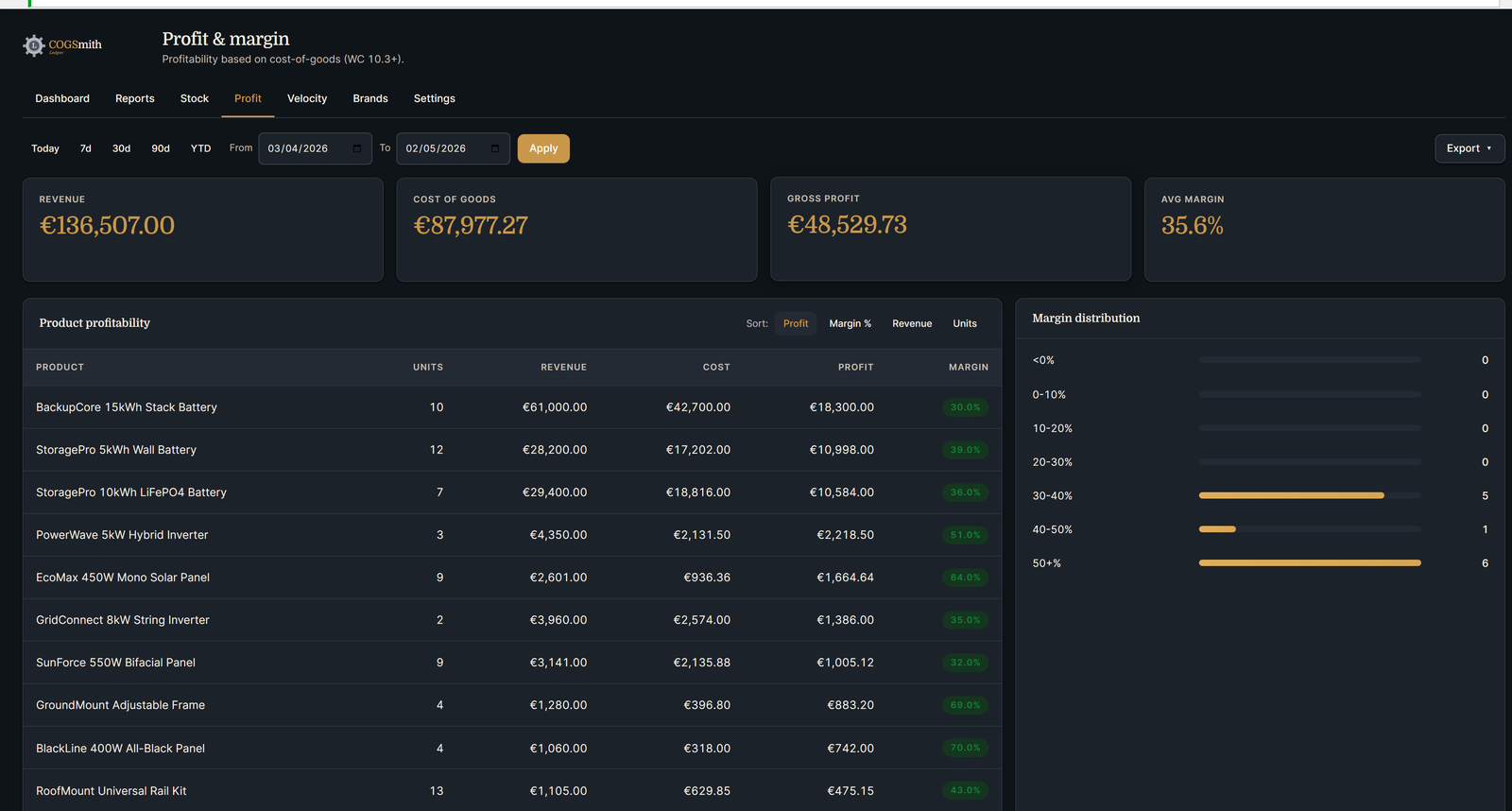
Profit & Margin
The numbers WooCommerce doesn't give you.
- ●Revenue, Cost of Goods, Gross Profit, and Average Margin in one view
- ●Per-product margin sortable from worst to best
- ●Margin distribution histogram showing where your products sit
- ●Color-coded margin column (green/amber/red) flags losing products instantly
- ●Reads from WooCommerce's built-in COGS field — no setup
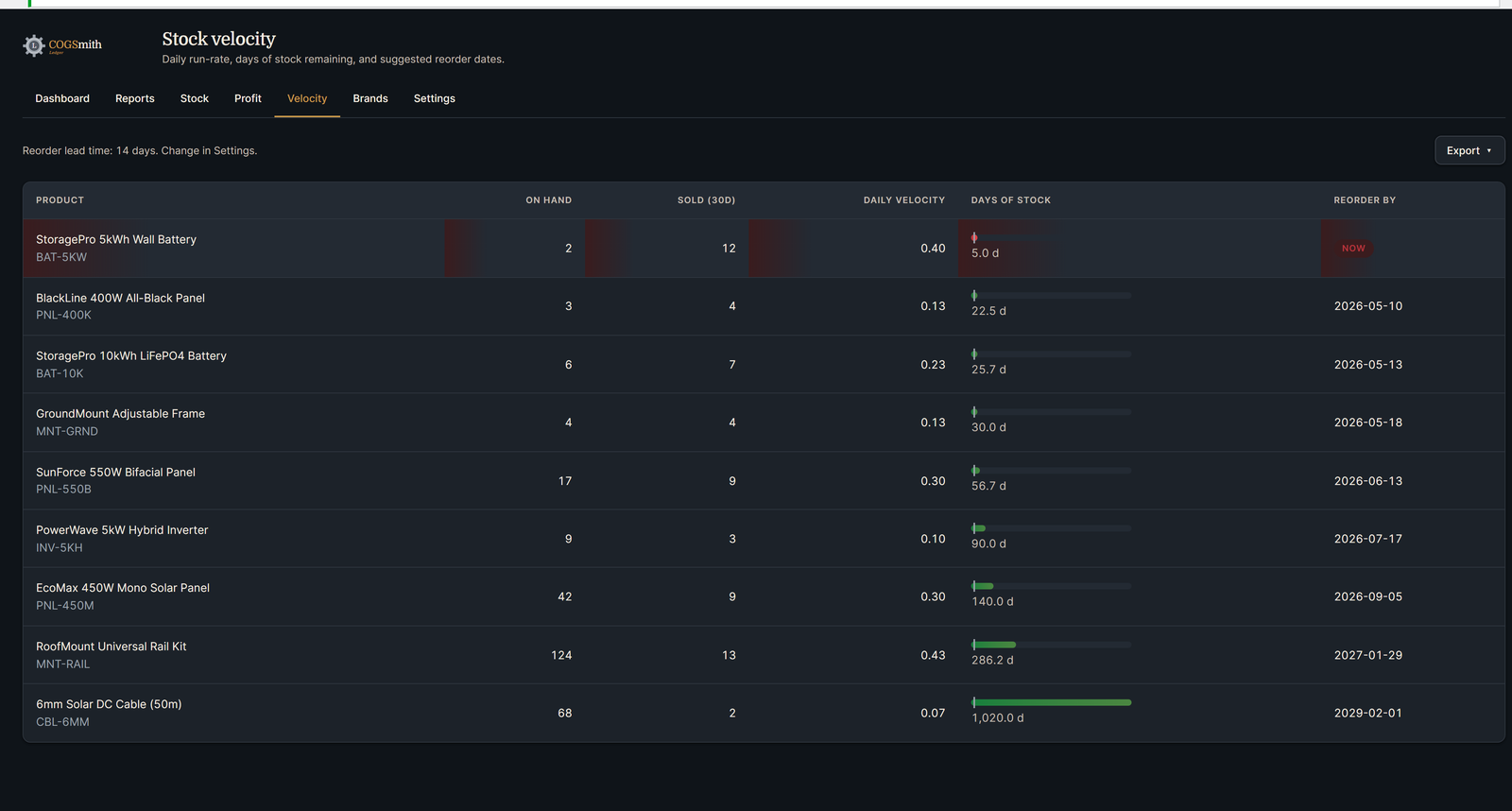
Stock Velocity
Reorder before you run out, not after.
Days of Stock
Visual bar showing stock runway
Daily Velocity
Calculated from 30-day sales rate
Reorder By
Date based on lead time, or NOW if you're already late
When a row turns red, you're already late.
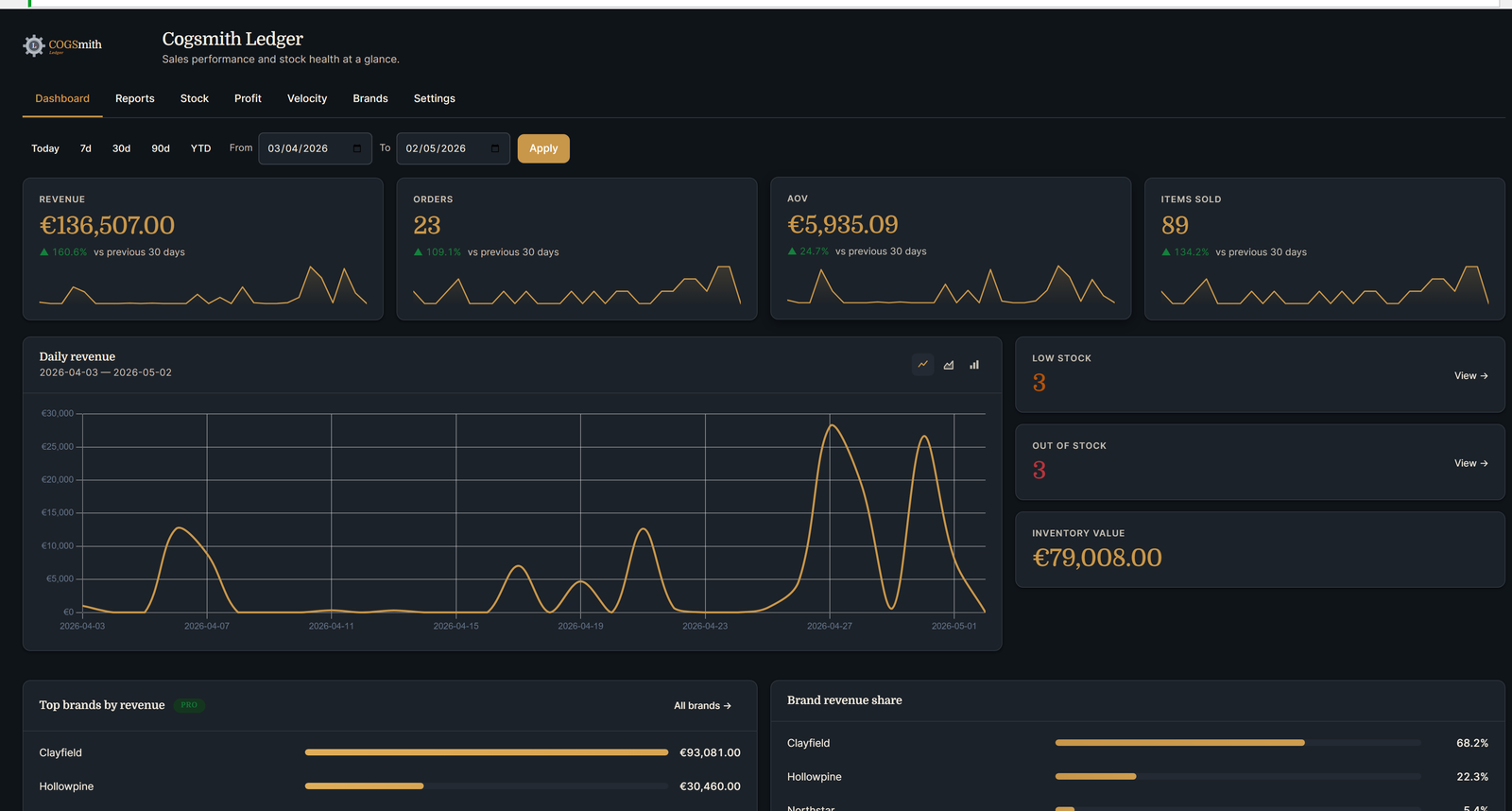
The Dashboard
Your home base. Everything in one view.
- ●Revenue, Orders, AOV, Items Sold — sparklines and 30-day deltas
- ●Daily revenue chart with line/area/bar toggles
- ●Stock health at a glance — low stock, out of stock, inventory value
- ●Top brands by revenue with share-of-revenue bars
- ●Top products by units and revenue at the bottom
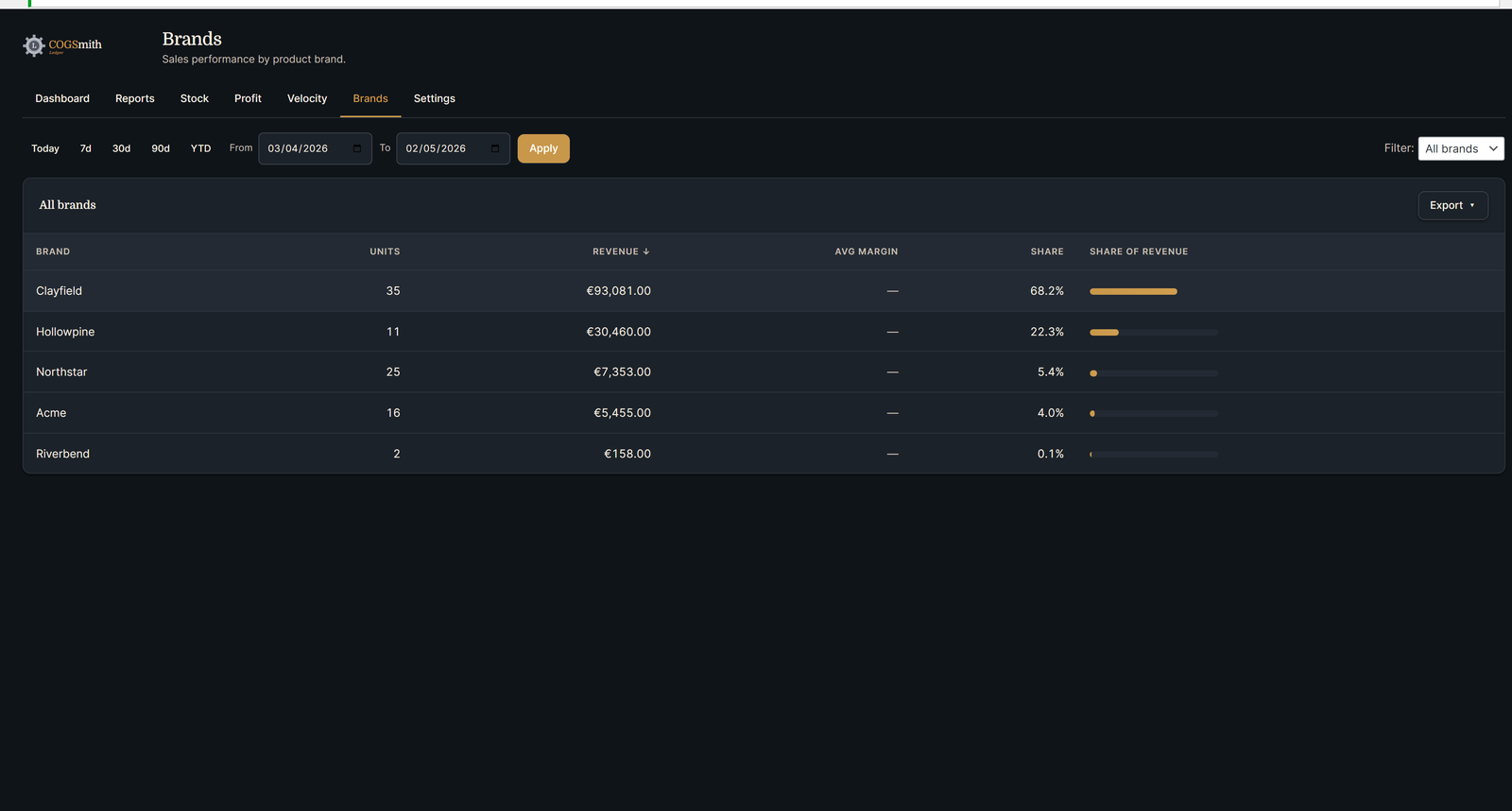
Zero Config
Picks up brands from WooCommerce taxonomy, Perfect Brands, or YITH automatically
Revenue Share
Inline bars show each brand's slice of total revenue
Drill Down
Click any brand to see which specific products under it are selling
PDF Export 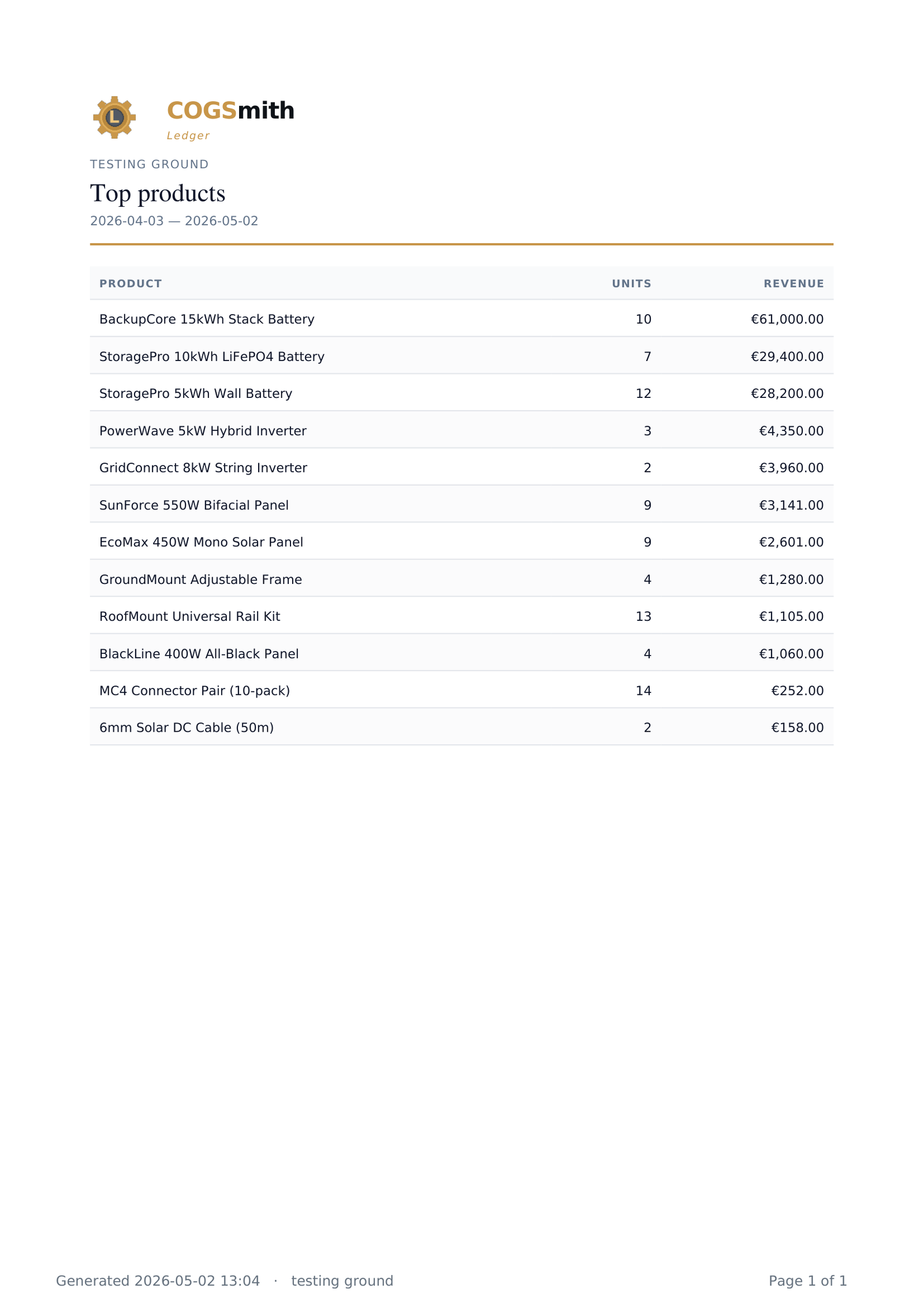
Reports & Exports
Three views, four formats, branded headers.
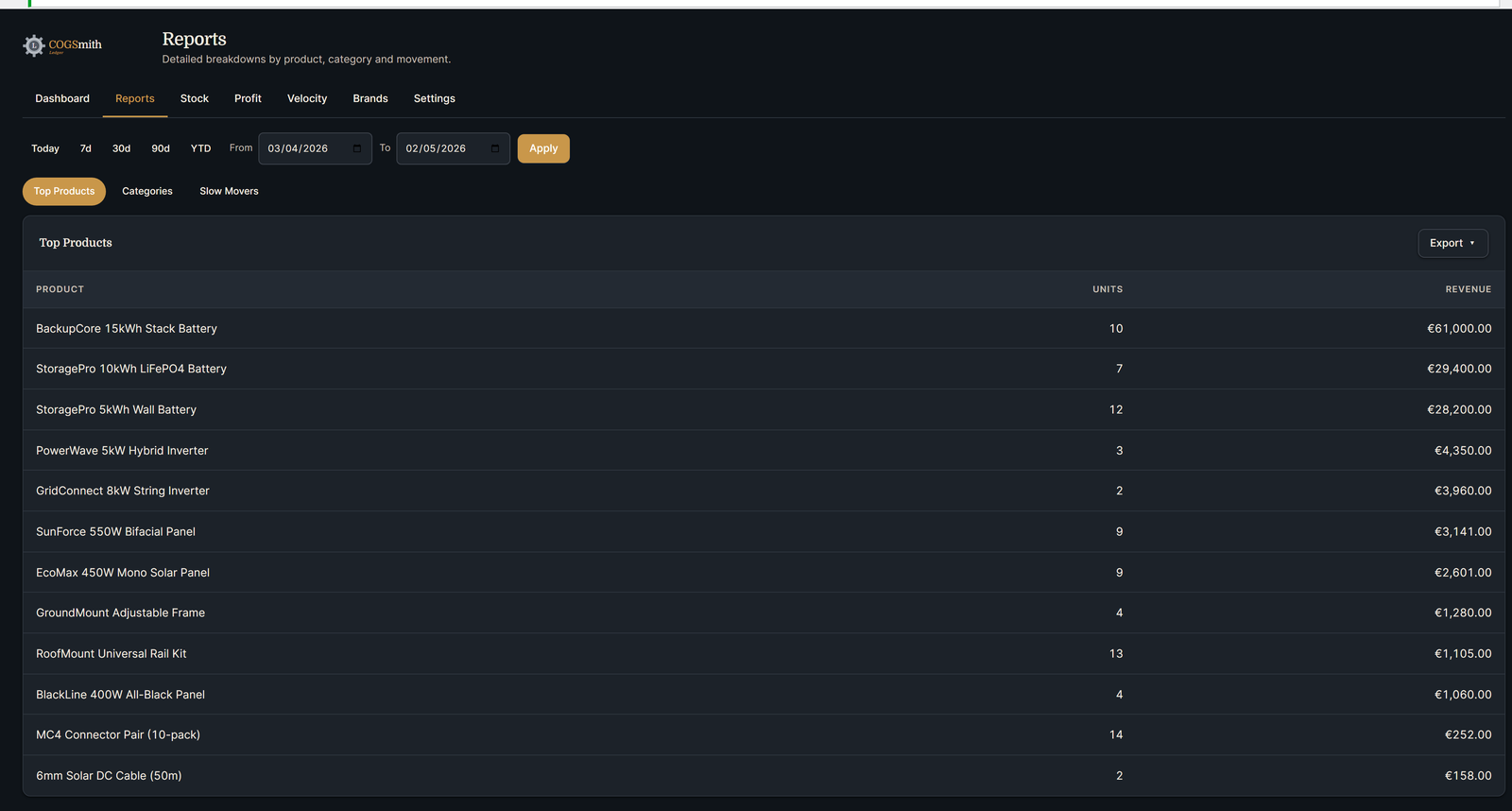
- ●Top Products, Categories, Slow Movers — three subtabs
- ●Slow Movers report flags dead stock that's tying up capital
- ●Export to CSV, Excel, PDF, or HTML
- ●PDFs include your store name, date range, and brand header
- ●Same export dropdown on every tab — consistent everywhere
Stock Alerts
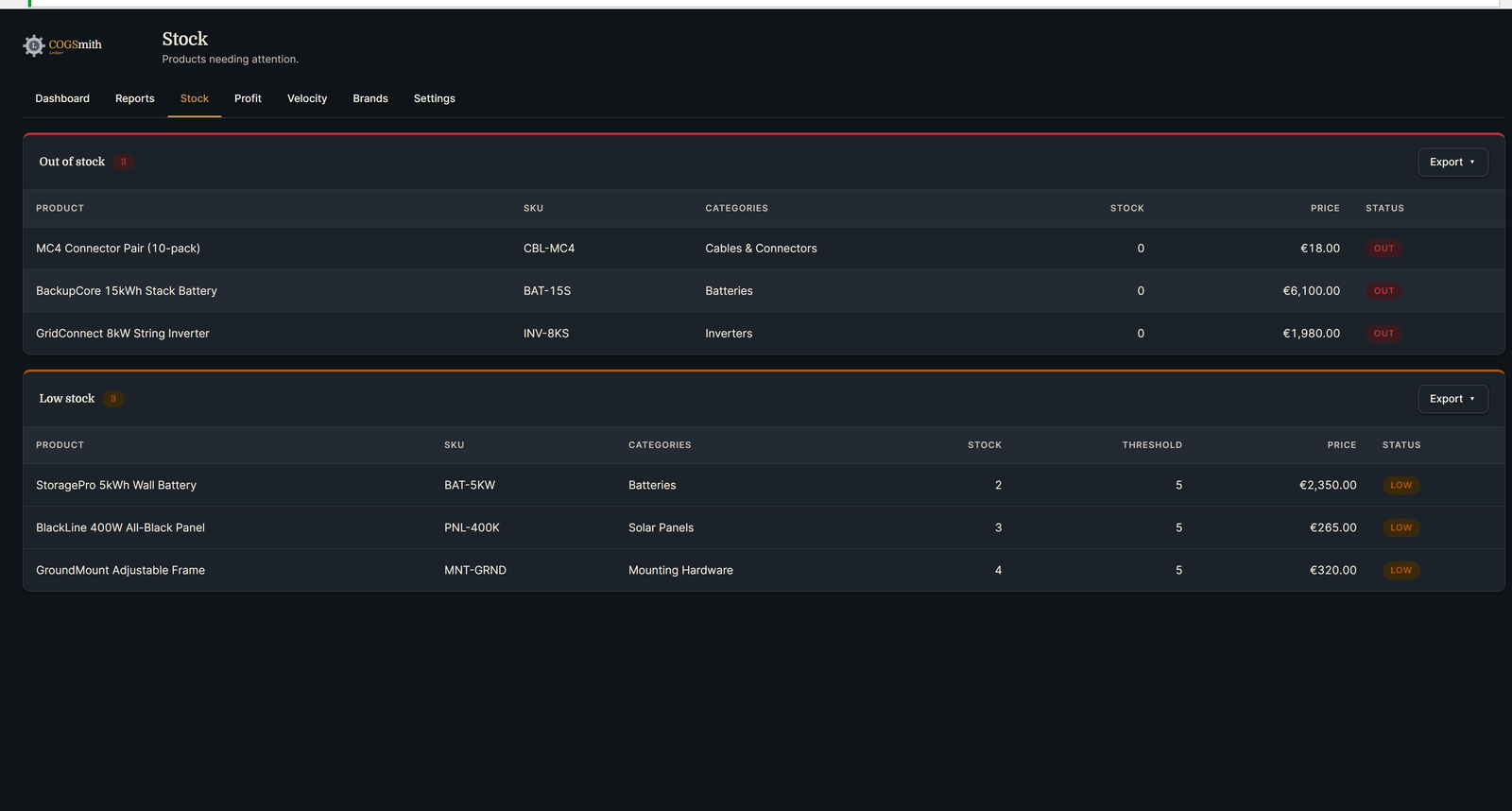
Two states. Both visible.
- ●Out of stock — red border, products at zero
- ●Low stock — amber border, products below your threshold
- ●Per-product low-stock override or use the global default
- ●Both lists exportable separately
Configure 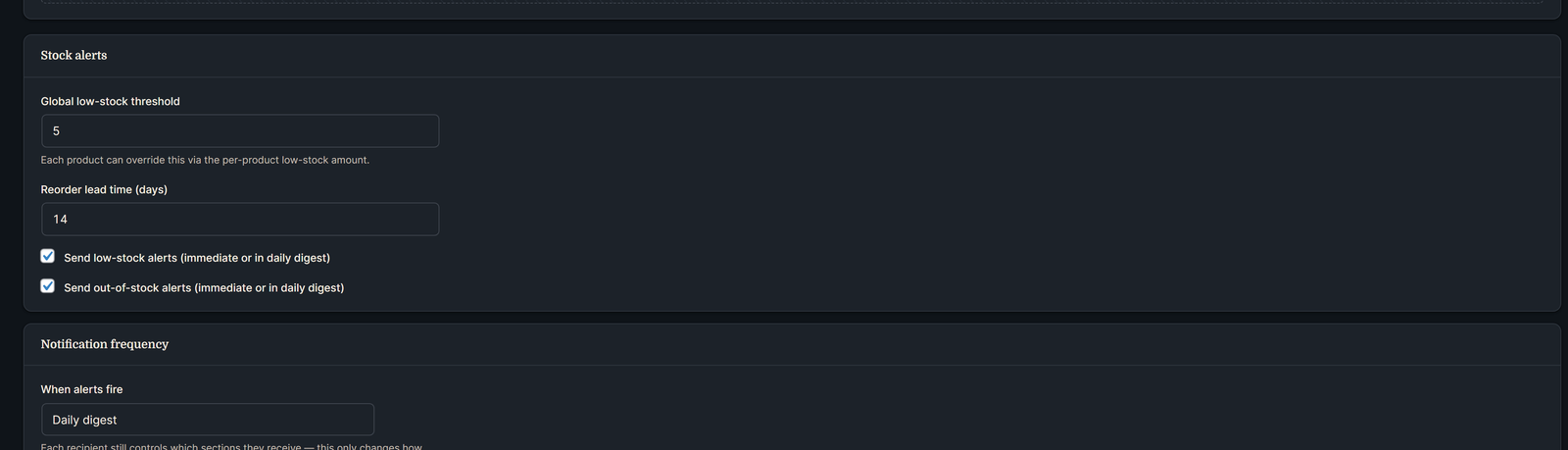
Delivered 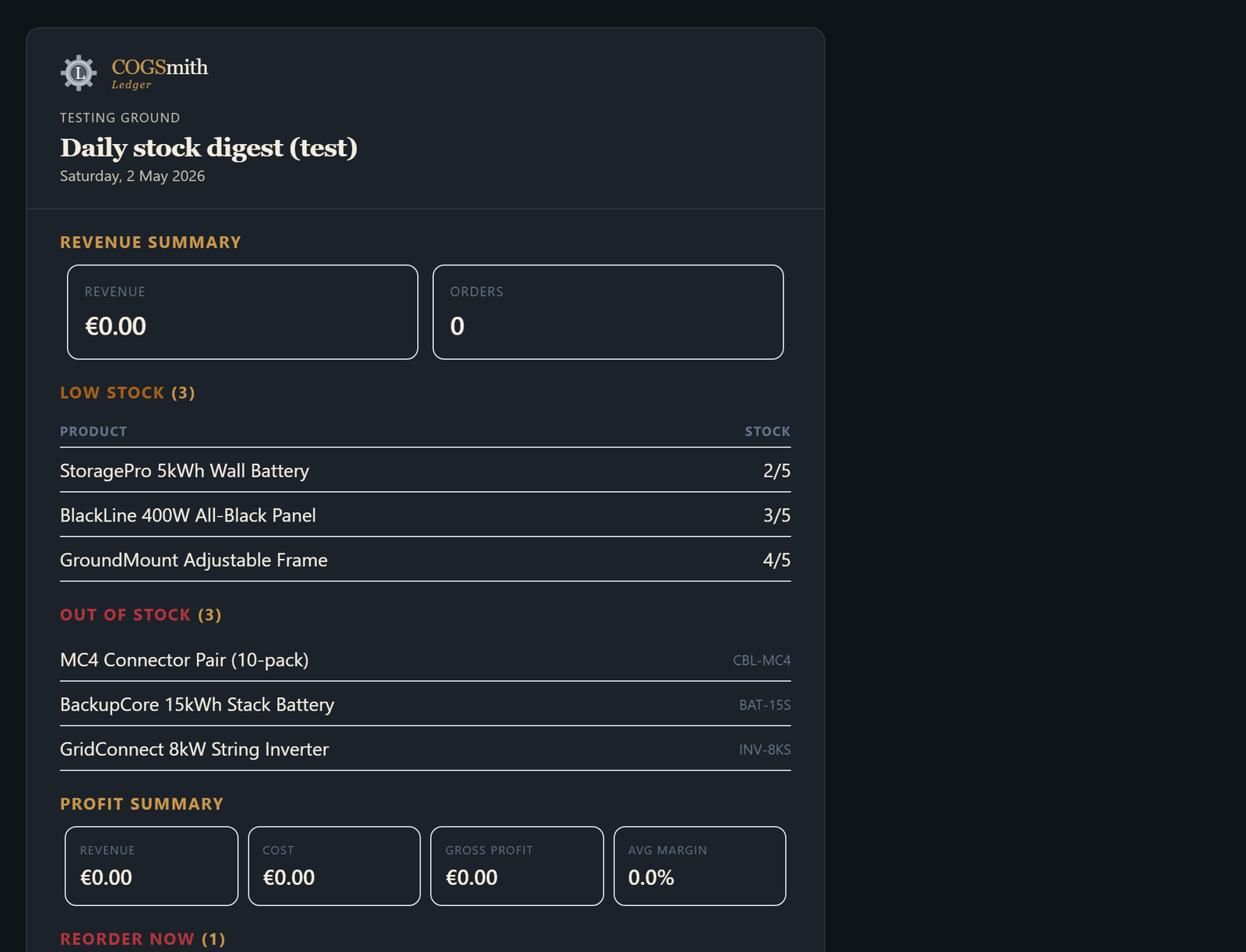
The plugin emails you so you don't have to log in.
●
Per-recipient sections — warehouse manager gets stock alerts, finance gets profit
●
Daily, weekly, or both
●
Same brand identity as the dashboard — not a wall of raw data
Ready to install it?
Secure checkout via Lemon Squeezy. 14-day money-back guarantee.