Solar savings. Calculated.
A real-time solar calculator for US websites. Federal tax credit, utility rates, payback periods — embedded with one shortcode.
Watch it in action
A 60-second+ walkthrough of the calculator, utility rates, lead capture, and branding options.
Video shows v1.0 — the plugin has since been updated with chart mode, 4 premium themes, and an improved calculation engine.
See it on a real site
This is a demo solar installer homepage with the compact calculator widget embedded in the sidebar. Your brand, your colors, your products.

The problem
US homeowners want to know how much solar will save them. They search "solar panels cost" and land on your site. If you can't show them a number — their number, based on their house, their utility, their state — they leave.
Generic "save up to 50%" claims don't convert. A calculator that shows $2,400 per year with PG&E in California on a south-facing roof does.
Cogsmith Solar US gives your visitors that number in seconds, then captures their details so you can follow up.
And when they're ready to talk, you need their details — not just a name, but what they calculated. Cogsmith Solar US captures the full calculation with every lead so you can call back with a quote ready.
What it does
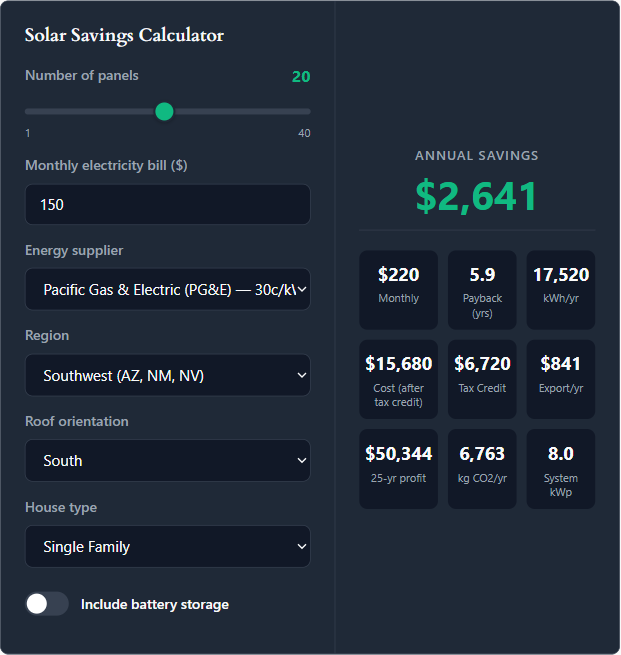
Real-time calculator
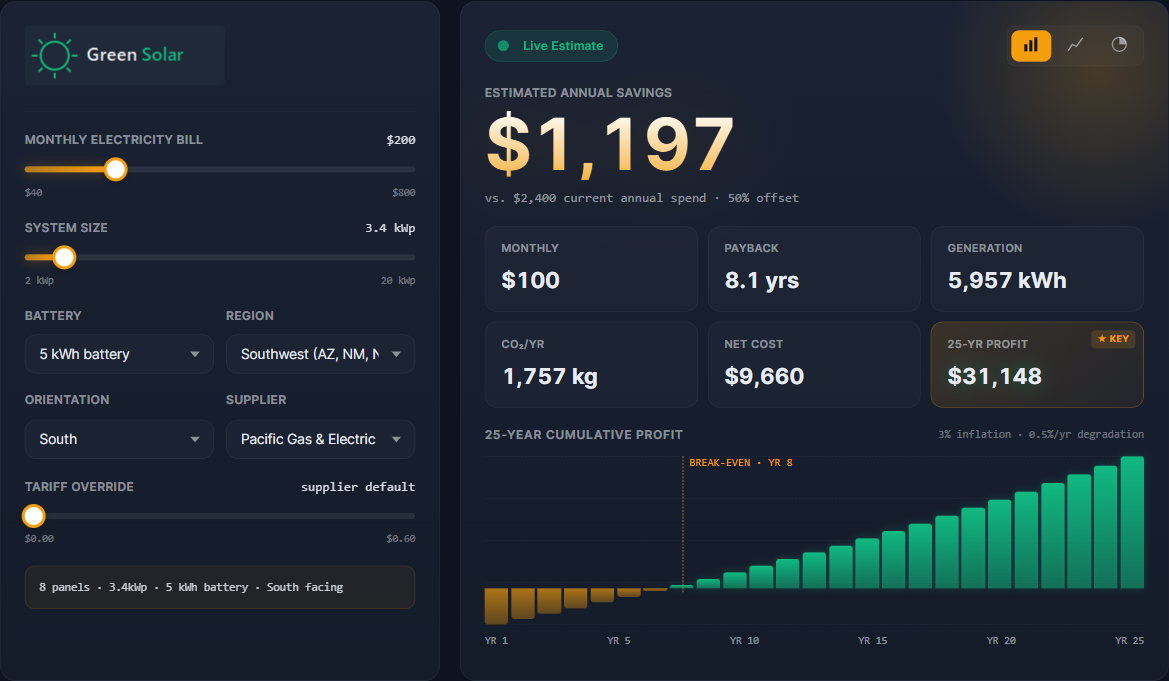
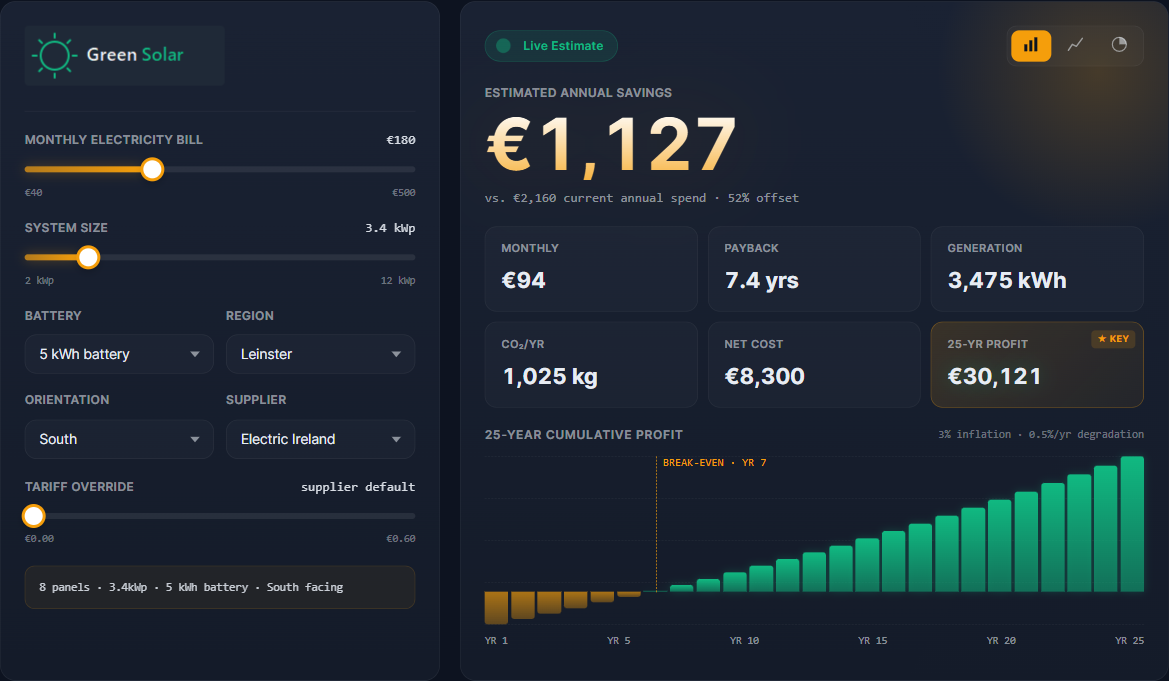
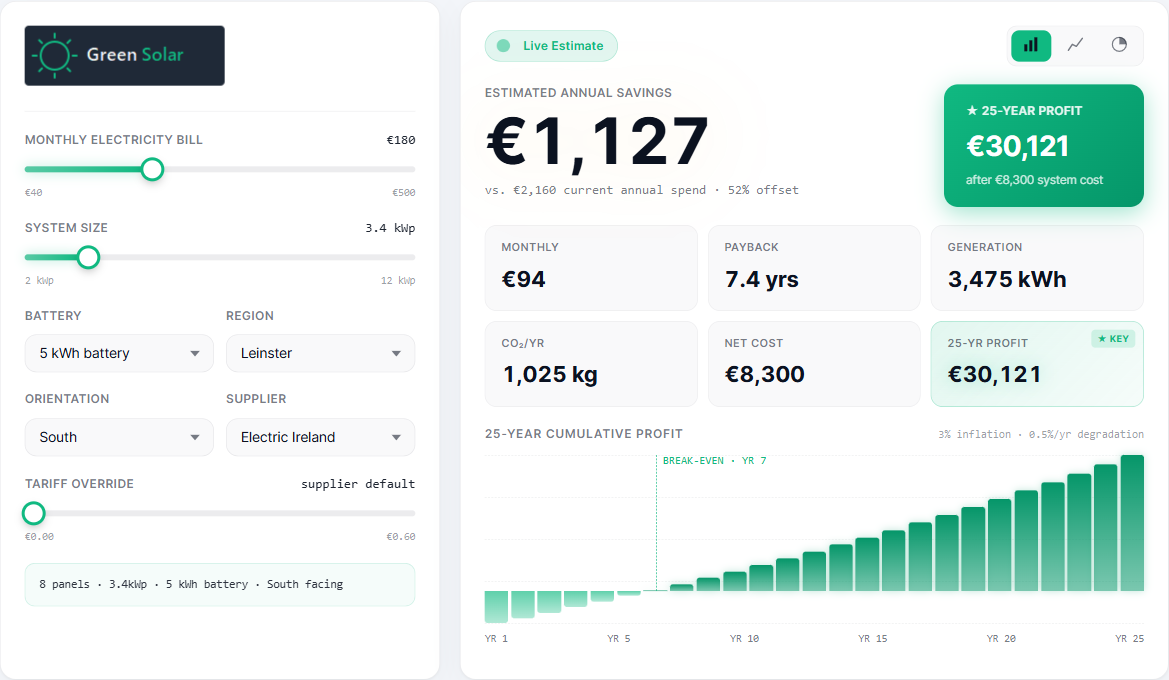
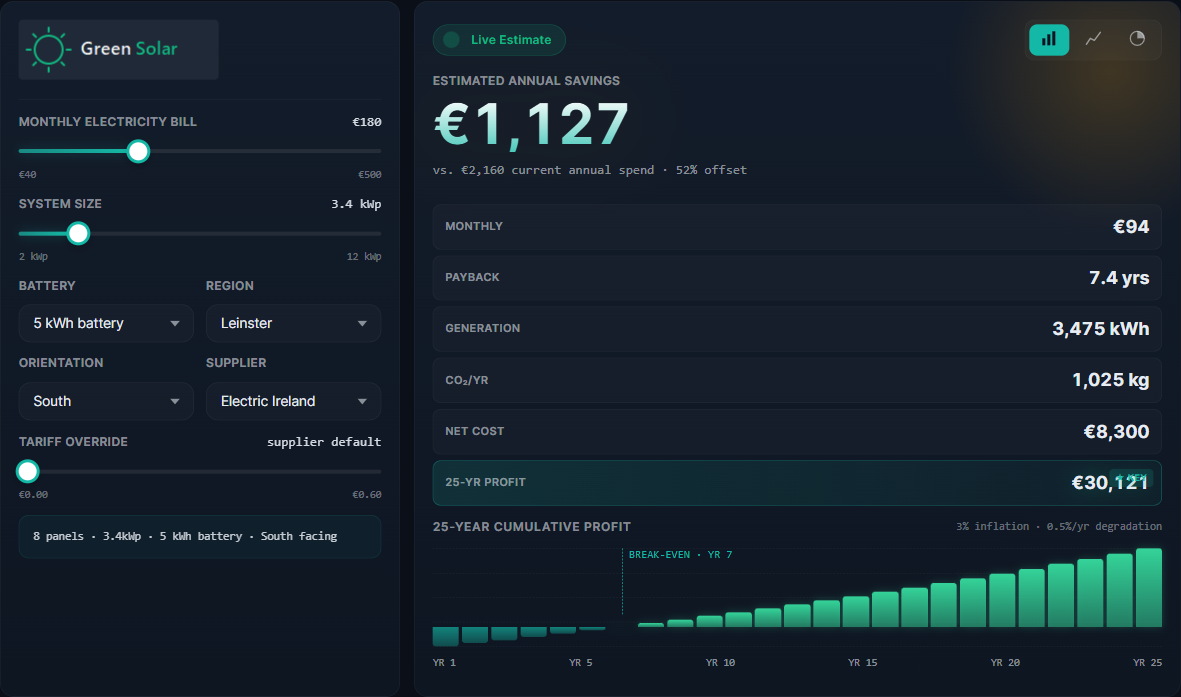
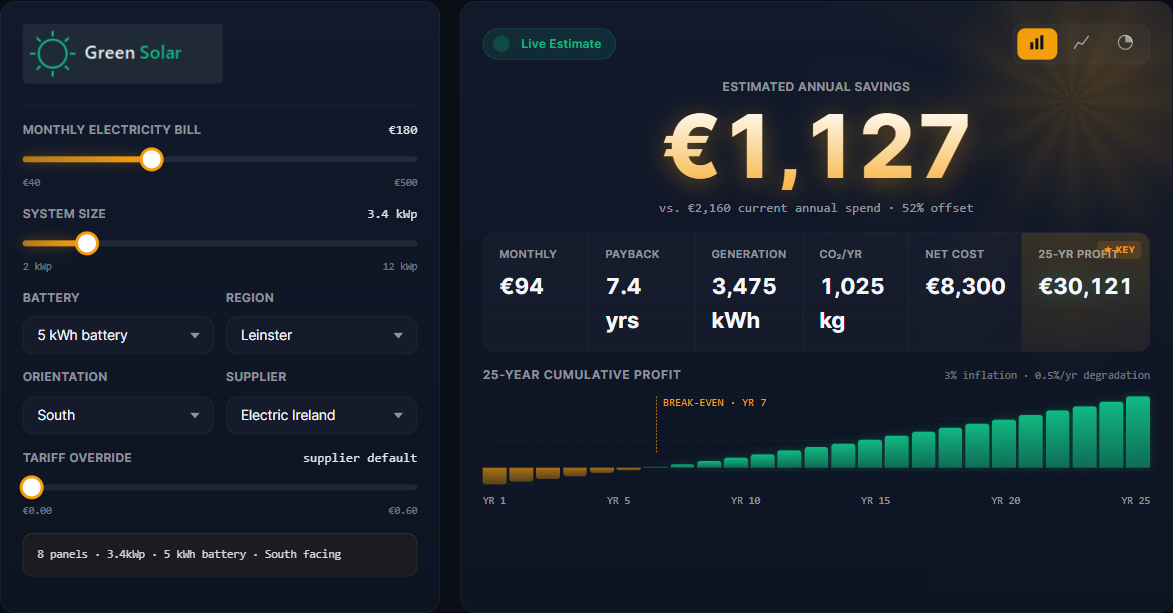
Premium chart mode
Leads with full calculation data

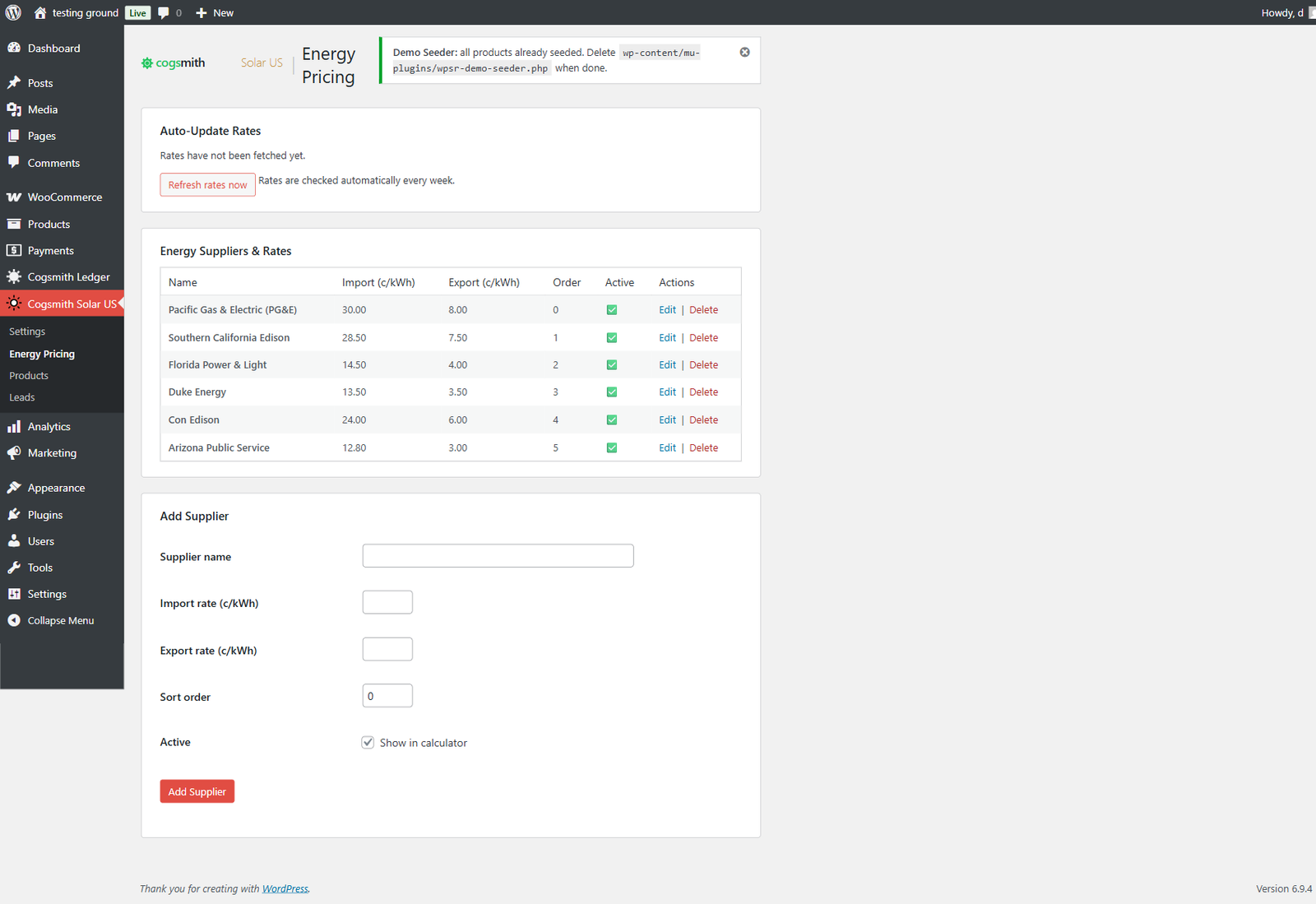
US utility rates
Federal tax credit
Product recommendations

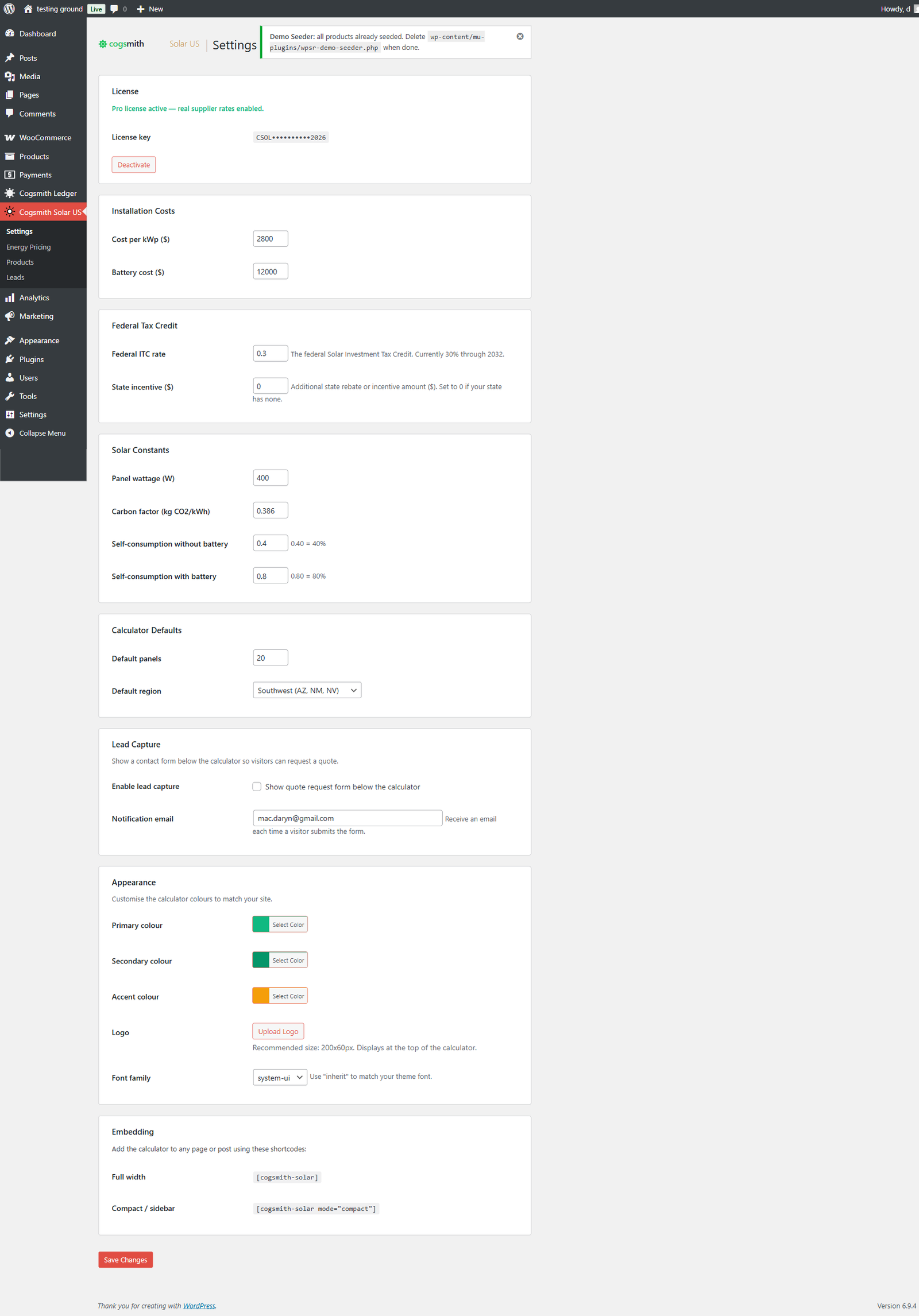
Your brand, your colors
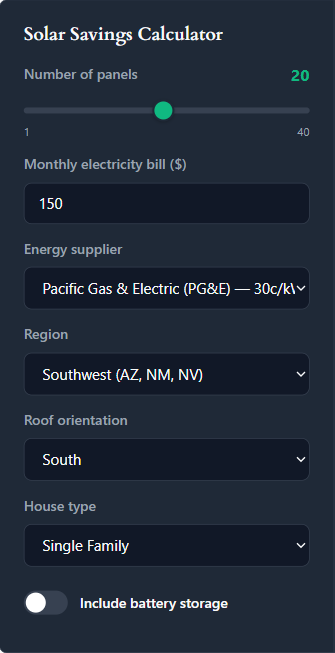
8 US regions
Full settings control
4 premium themes
Pick a look that fits your site. One click in the admin — no code changes.
Free vs Pro
| Feature | Free | Pro |
|---|---|---|
| Real-time calculator | ✓ | ✓ |
| Panel slider, region, orientation, house type | ✓ | ✓ |
| Battery toggle | ✓ | ✓ |
| Federal tax credit | ✓ | ✓ |
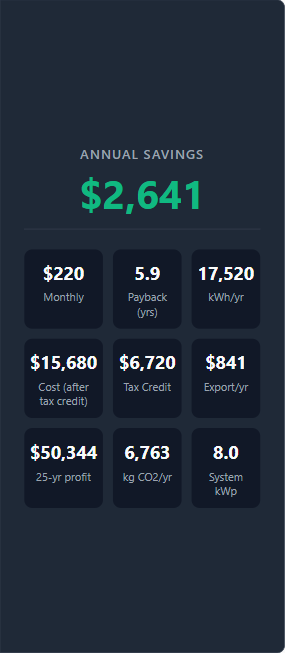
| 9-tile results grid | ✓ | ✓ |
| Color theming & logo | ✓ | ✓ |
| Full & compact shortcode modes | ✓ | ✓ |
| Chart mode (4 themes) | ✓ (with watermark) | ✓ |
| Real utility rates | ✓ (read-only) | Editable + auto-update |
| Product recommendations | ✓ | Editable + unlimited |
| Lead capture | 3/month | Unlimited |
| Leads admin & CSV export | ✓ | ✓ |
| Email alerts with lead data | ✓ | ✓ |
| Analytics (calculations & leads) | ✓ | ✓ |
| Email support | ✗ | ✓ |
Pricing
- Full calculator with all inputs
- Real utility rates (read-only)
- Lead capture (3/month)
- Chart mode with watermark
- Federal tax credit (30% ITC)
- Product recommendations
- Color theming
No license key required.
- Everything in Free, plus:
- Real US utility rates
- Weekly auto-updated rates — we monitor utilities so you don't have to
- Full product catalog
- Lead capture with full calculation data & CSV export
- Email support
Free tier available forever.
Approx. $108/year at current exchange rates.
By purchasing, your email is added to our customer list. We'll notify you of new versions and occasionally about new Cogsmith plugins. Unsubscribe any time.
One lead covers the cost. The average solar installation is worth $15,000+ to the installer. One extra conversion and this plugin has paid for itself.
Questions
How do I add the calculator to my site?
Install the plugin, activate it, and add [cogsmith-solar] to any page or post. For a sidebar version, use [cogsmith-solar mode="compact"].
Are the utility rates accurate?
Pro subscribers get real US utility rates — PG&E, SCE, FPL, Duke Energy, Con Edison, APS — including net metering rates that update automatically each week from our data feed. Free mode uses sample rates for demonstration purposes.
Can I customize the colors?
Yes. The settings page includes color pickers for primary, secondary, and accent colors, plus a font family selector. The calculator inherits your choices via CSS custom properties.
How does the tax credit calculation work?
It defaults to the 30% federal Investment Tax Credit (ITC), available through 2032. There's also an optional state incentive field you can configure in the admin for state-level rebates or credits. Visitors see the federal credit and any state incentive applied to their net system cost.
What data is stored when a lead submits the form?
Name, email, phone, consent status, plus all calculation parameters — panels, region, utility, orientation, house type, battery, annual savings, payback, system cost, tax credit, and kWh produced. Everything you need to quote without calling back to ask.
Does it work with any WordPress theme?
Yes. The calculator is self-contained with scoped CSS. It renders inside a shortcode block and doesn't interfere with your theme styles. Tested with Twenty Twenty-Four, Astra, GeneratePress, and Flavor.
Ready to convert solar visitors into leads?
Download Free VersionFree tier available. Pro from €99/year.